Hello Rafał,
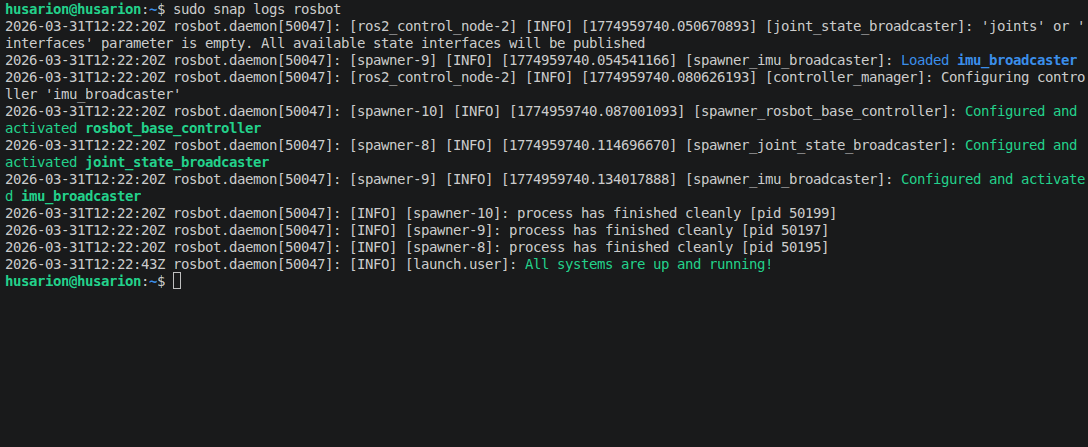
I get all the same messages as you, however there is also some override happening for the DDS client, I don’t know whether it is an issue:
zarzadca@admin:~ $ sudo snap logs rosbot
2026-03-31T17:48:42+02:00 rosbot.daemon[2786]: [micro_ros_agent-3] [1774972122.800291] warning | FastDDSMiddleware.cpp | create_participant_by_bin | Overriding Micro XRCE-DDS Client DOMAIN_ID | domain_id: 0
2026-03-31T17:48:42+02:00 rosbot.daemon[2786]: [micro_ros_agent-3] [1774972122.819480] info | ProxyClient.cpp | create_participant | participant created | client_key: 0x5E583ECE, participant_id: 0x000(1)
2026-03-31T17:48:42+02:00 rosbot.daemon[2786]: [micro_ros_agent-3] [1774972122.822174] info | ProxyClient.cpp | create_topic | topic created | client_key: 0x5E583ECE, topic_id: 0x000(2), participant_id: 0x000(1)
2026-03-31T17:48:42+02:00 rosbot.daemon[2786]: [micro_ros_agent-3] [1774972122.823370] info | ProxyClient.cpp | create_subscriber | subscriber created | client_key: 0x5E583ECE, subscriber_id: 0x000(4), participant_id: 0x000(1)
2026-03-31T17:48:42+02:00 rosbot.daemon[2786]: [micro_ros_agent-3] [1774972122.829904] info | ProxyClient.cpp | create_datareader | datareader created | client_key: 0x5E583ECE, datareader_id: 0x000(6), subscriber_id: 0x000(4)
2026-03-31T17:48:42+02:00 rosbot.daemon[2786]: [micro_ros_agent-3] [1774972122.833895] info | ProxyClient.cpp | create_topic | topic created | client_key: 0x5E583ECE, topic_id: 0x001(2), participant_id: 0x000(1)
2026-03-31T17:48:42+02:00 rosbot.daemon[2786]: [micro_ros_agent-3] [1774972122.836230] info | ProxyClient.cpp | create_publisher | publisher created | client_key: 0x5E583ECE, publisher_id: 0x000(3), participant_id: 0x000(1)
2026-03-31T17:48:42+02:00 rosbot.daemon[2786]: [micro_ros_agent-3] [1774972122.840002] info | ProxyClient.cpp | create_datawriter | datawriter created | client_key: 0x5E583ECE, datawriter_id: 0x000(5), publisher_id: 0x000(3)
2026-03-31T17:48:42+02:00 rosbot.daemon[2786]: [micro_ros_agent-3] [1774972122.841519] info | ProxyClient.cpp | create_topic | topic created | client_key: 0x5E583ECE, topic_id: 0x002(2), participant_id: 0x000(1)
2026-03-31T17:48:44+02:00 rosbot.daemon[2786]: [INFO] [launch.user]: All systems are up and running!
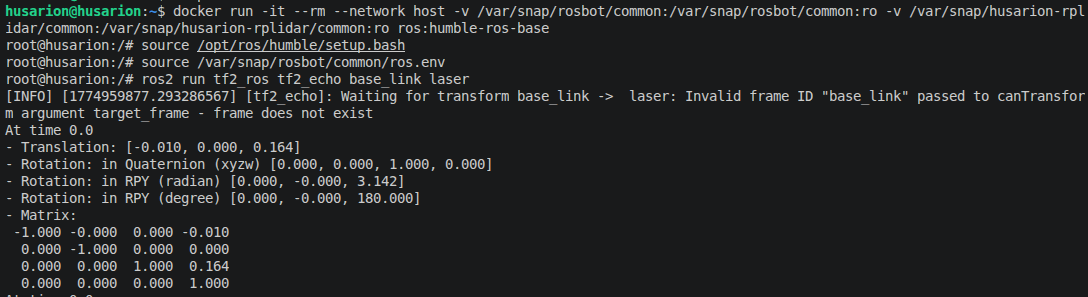
Regarding ROS running - to connect to the RPi 5 I use Tiger VNC viewer that can stream display from my RPi to the laptop, however you can say they are connected via the Wi-Fi that my laptop is streaming using hotspot to the RPi. I’m not using ROS on my laptop. I checked any other Docker containers with ROS on my RPi, however they are not running.
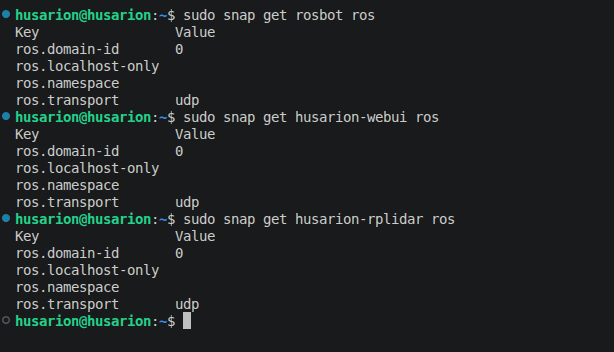
I believe this check is ok:
zarzadca@admin:~ $ sudo snap get rosbot ros
Key Value
ros.domain-id 0
ros.localhost-only
ros.namespace
ros.transport udp
zarzadca@admin:~ $ sudo snap get husarion-webui ros
Key Value
ros.domain-id 0
ros.localhost-only
ros.namespace
ros.transport udp
zarzadca@admin:~ $ sudo snap get husarion-rplidar ros
Key Value
ros.domain-id 0
ros.localhost-only
ros.namespace
ros.transport udp
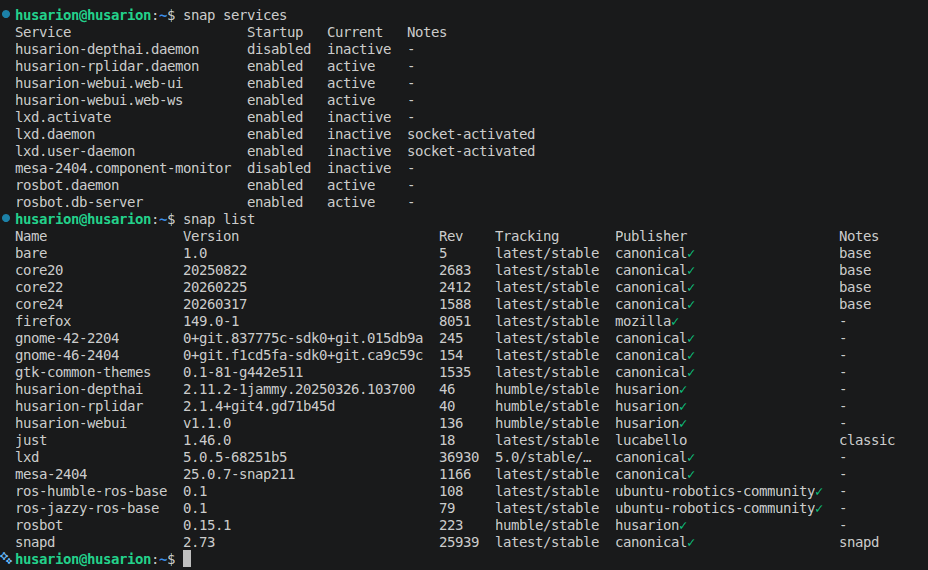
This also looks fine:
zarzadca@admin:~ $ snap list
Name Version Rev Tracking Publisher Notes
core22 20260128 2340 latest/stable canonical✓ base
core24 20260211 1500 latest/stable canonical✓ base
husarion-rplidar 2.1.4+git4.gd71b45d 40 humble/stable husarion✓ -
husarion-webui v1.1.0 136 humble/stable husarion✓ -
just 1.46.0 18 latest/stable lucabello classic
ros-humble-ros-base 0.1 108 latest/stable ubuntu-robotics-community✓ -
rosbot 0.15.1 223 humble/stable husarion✓ -
snapd 2.74.1 26383 latest/stable canonical✓ snapd
zarzadca@admin:~ $ snap services
Service Startup Current Notes
husarion-rplidar.daemon enabled active -
husarion-webui.web-ui enabled active -
husarion-webui.web-ws enabled active -
rosbot.daemon enabled active -
rosbot.db-server enabled active -
This check was a little bit concerning:
zarzadca@admin:~ $ sudo snap get <snap_name> ros.transport
bash: snap_name: No such file or directory
zarzadca@admin:~ $ sudo snap get ros.transport
bash: rosbot: No such file or directory
zarzadca@admin:~ $ sudo snap get ros.transport
bash: husarion-rplidar: No such file or directory
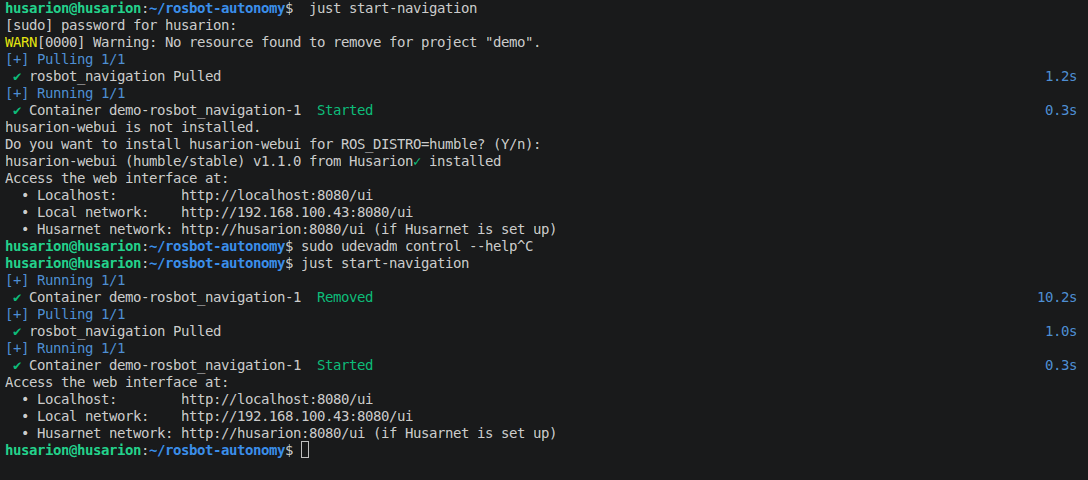
When starting the just start-navigation I would always get this prompt: sudo: husarion-webui.start: command not found. Then I remembered that in order to perform sudo rosbot.stop or sudo rosbot.start I had to add /snap/bin for it to work. I went with this clue and changed the just file to: sudo /snap/bin/husarion-webui.start sudo /snap/bin/husarion-webui.stop. Then just start-navigation worked. Do you think it’s a problem with my environment?
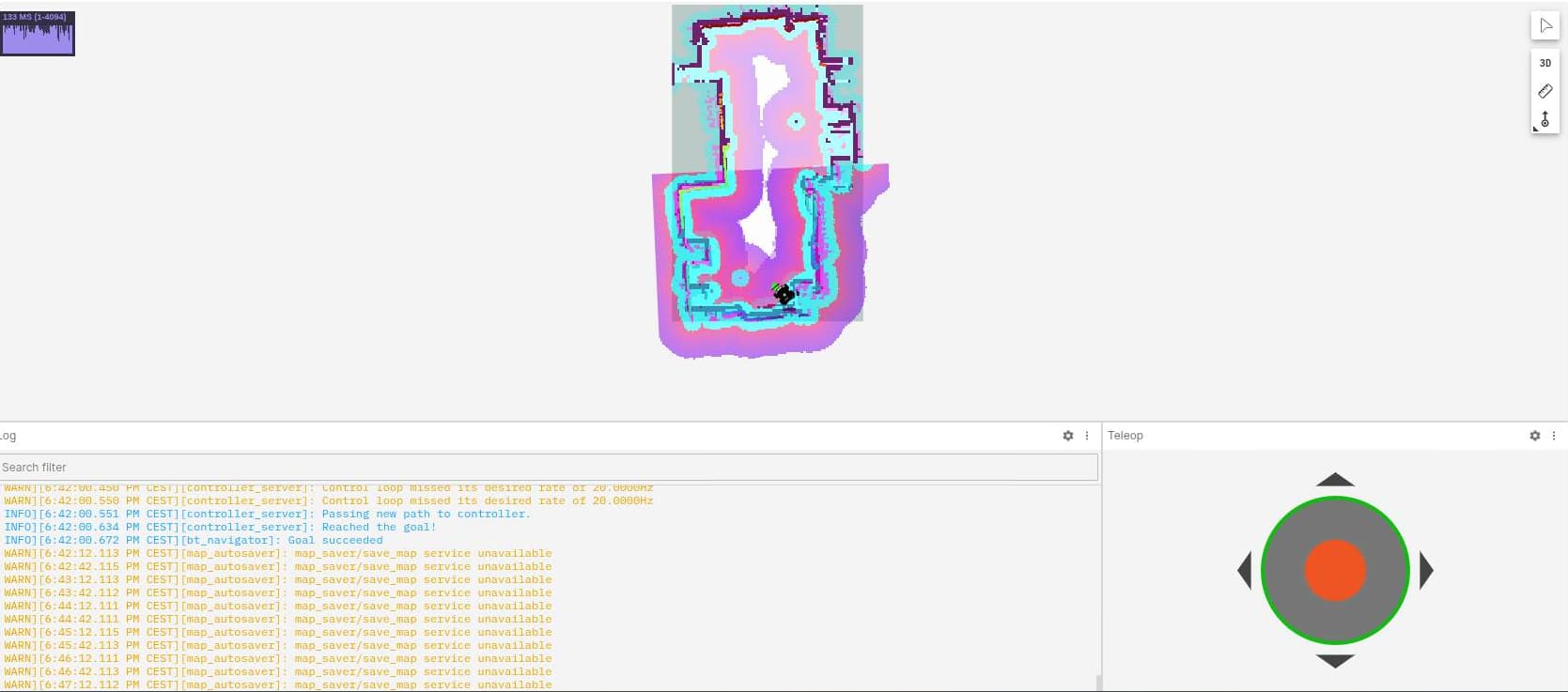
Also when using the web ui I was getting this prompt that the map could not be saved as on the screen below:
Teleop and goal setting was working correctly - do you have any ideas/recomendations?
Big thanks,
Mateusz Norek
 Container demo-rosbot_navigation-1 Removed 10.1s