ROSbot XL WebUI: no camera or LiDAR data

Hi,

I’m using a ROSbot XL.
The WebUI works and I can control the robot, but I don’t see camera or LiDAR data.

Facts:

  • WebUI at http://<ROSBOT_IP>:8080/ui → control works

  • Camera (OAK) works with depthai-docker demo (RViz OK)

  • LiDAR works with rplidar-docker demo (LaserScan OK)

  • In the WebUI setup, both are missing

Is extra configuration needed?

Thanks,

From the context, I’m not sure what you mean by not being able to see the camera (there’s no panel, or rather, the camera view doesn’t work in webui).

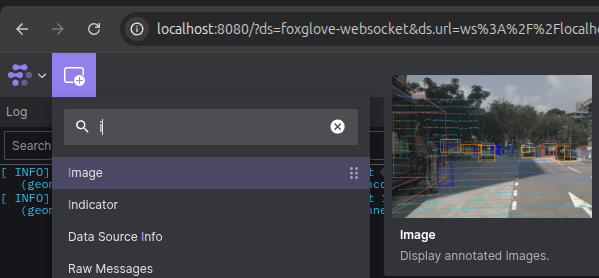
Adding panel
Regarding webui, you can add and configure your own panel by adding it. You’ll find the appropriate icon in the upper left corner.

Not working panel
Regarding the non-functioning panel, the most common cause is differences in the ROS middleware configuration (RMW_IMPLEMENTATION) or the inability to communicate between the Docker ↔ snap environment.

If you’re using our Docker sensor builds, I encourage you to use snaps:
Set up the same middleware (default: udp) in all of them.

sudo snap set <snap> ros.transport=udp # setup for snaps: rosbot, husarion-depthai, husarion-rplidar, husarion-webui