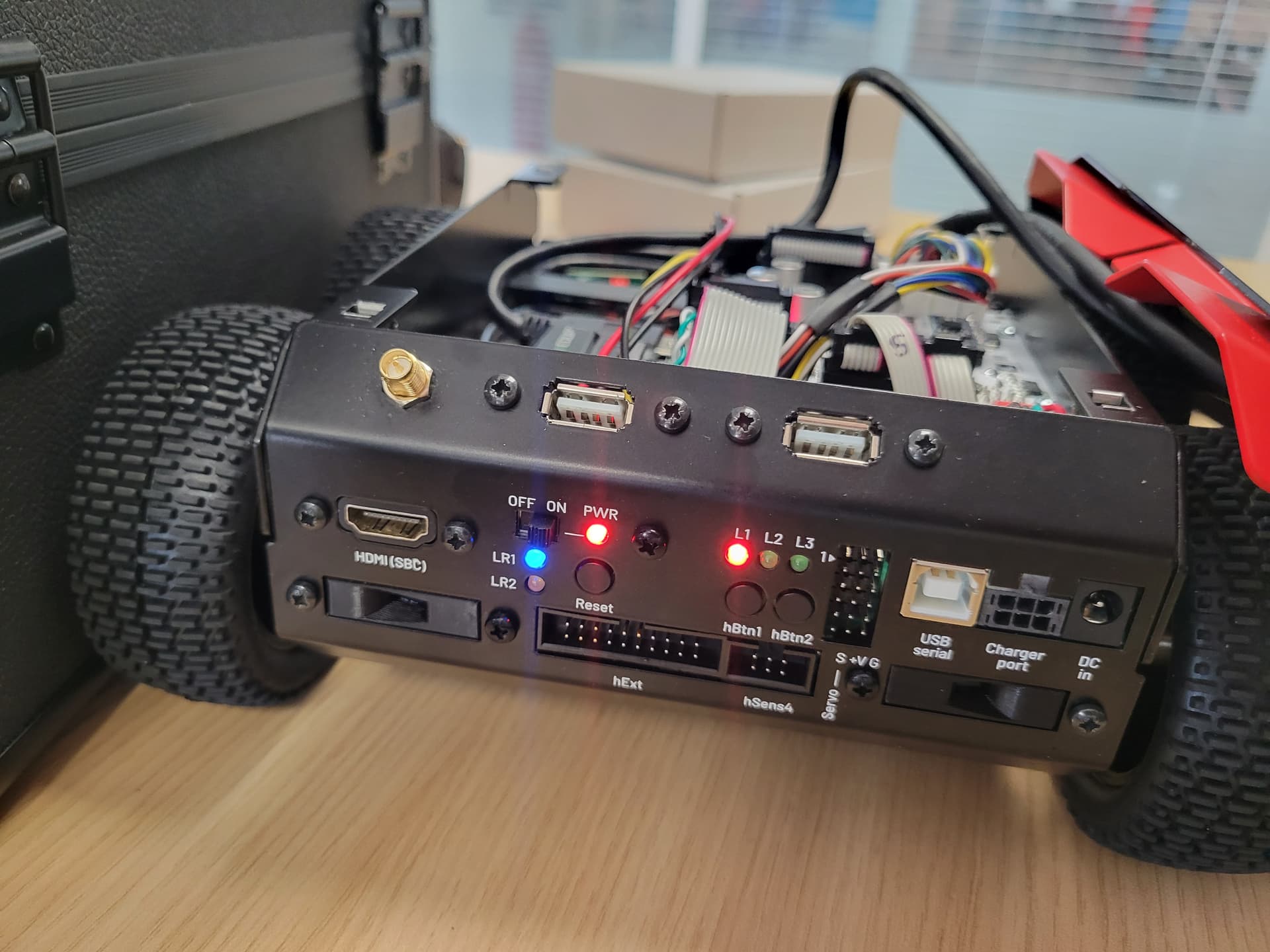
Hello everyone, I just unboxed my ROSBOT3 PRO and this is my first day with it. I followed the instructions on the manual and on the youtube video to plug the batteries and wifi antenna. While following the tutorial, i arrive at the step of pluuging the ethernet adapter to the computer. The problem is that i get no signal. I tried testing the ports with my mouse and my USB flashdrive but nothing. Same for the hdmi i tried multiple cables and screens but there is no displays. I checked if the batteries were the problem but even when plugged straight using the DC in port, i get the same result. The robot seems to boot just fine. The pwr led is static red, the L1 is static red, and the LR1 led is static blue. The L3 led stays on but fades out every 8 seconds for around one second. Can someone help me with this problem? My robot serial number is 682ea2.
EDIT : I would like to add that since this morning, the led1 blinks red ; 4 rapid blinks and 4 slower blinks. I did not change anything since yesterday. Thanks for reading.
Kindly,
ROSSIROS
Hi @Rossiross,
I’m sorry to hear that.
The red LED L1 starts flashing when the voltage is low. It lights up continuously when the battery is ok. A bigger problem is indicated by the LR1 led, which is connected to the RPi.
It seems there’s something wrong with the RPi, and I’d start by flashing the Husarion OS image to the SD card. Installing Husarion OS | Husarion
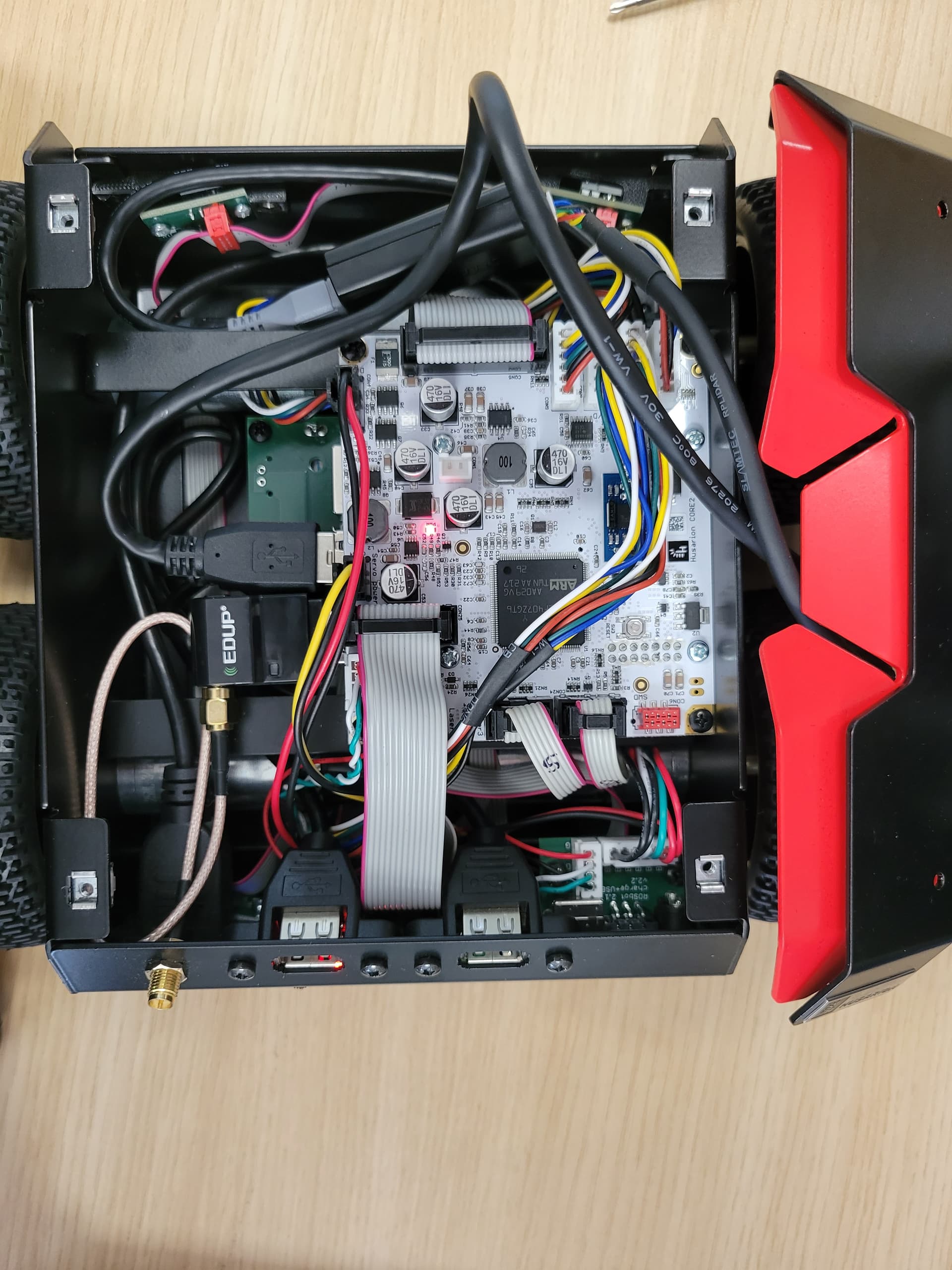
You can also open the robot’s top cover to be sure and check if the cables are plugged in. Could you send me a picture of it, and I’ll take a look.
Hello, thank you for the reply. The robot is fully charged since the charger just emitted the max charge sound and the readings on the charger seem to point towards it. Is it possible to flash the SD card without having access to the robot terminal since the ports seem to not work? if yes, I might need some help with that if possible. For the cables, they seem plugged just fine for me although I am no expert. Here is an image of the robot with the top cover removed. Thanks for reading,
Kindly yours,
In the case of rosbot, there is no need to use a flash drive with the image.
On the right side there is a hole through which you can pull out the SD card with tweezers.
I should then try to flash the SD by following the steps on the manual right there should be no need to use any HDMI displays neither? Is there anyway i could mess up? and does it affect the garantee. Wouldn’t you recommend sending back the robot as it is brand new? how about the led L1 blinking pattern, i saw on the raspberry error led codes that 4 short blinks and 4 longer ones indicates an unsupported board type, could this be related? thank you.
If the Raspberry Pi in your robot is physically damaged, we will need to arrange transportation so the robot can be sent to us for repair. However, before taking that step, it would be worth verifying whether the issue can be resolved by reflashing the system image.
Sending the robot for repair usually takes around two weeks , while reflashing the image can be completed within a day , and there is a good chance that it will resolve the problem, but if you prefer we can arrange a shipment.
Steps to reflash the image
- Remove the SD card from the ROSbot.
- Insert the card into a computer with flashing software installed, such as Raspberry Pi Imager or Balena Etcher .
- Download the system image and select it in the flashing software:
https://robot-os-images.s3.eu-central-1.amazonaws.com/build-2025-07-29/rosbot-3-rpi-jazzy-2025-07-29-1040.img.xz
- Wait until the flashing process is complete, then insert the SD card back into the ROSbot.
Please let us know if you need any assistance during this process.
alright, thank you for the precise instructions, I will try that and keep you updated. One last question : do I have to manually erase the previous image on the SD card or does flashing it automatically overrides it?
There is no need to erase data manually.
hello, I just tried the method but it seems not working…whether I plug the micro SD or not I get the same results. Could you recommand any other way?
The issue was initially diagnosed as a problem with the RPi. Service and further diagnostics are being conducted via email at support@husarion.com
1 Like